The Cheapest Start
Important Rule
Anything cheaper than the components on this list is either a disposable "toy" or outright junk that will ruin your experience with the hobby. You must understand that buying the absolute cheapest gear comes with risks, but we've tried to minimize them in this list.
1. Radio Transmitter
It must have OpenTX or EdgeTX firmware and the ELRS protocol. This guarantees that it will have all the necessary features, you'll always be able to find help with your ideas or issues, and you can use it with any simulator and almost any modern FPV drone.
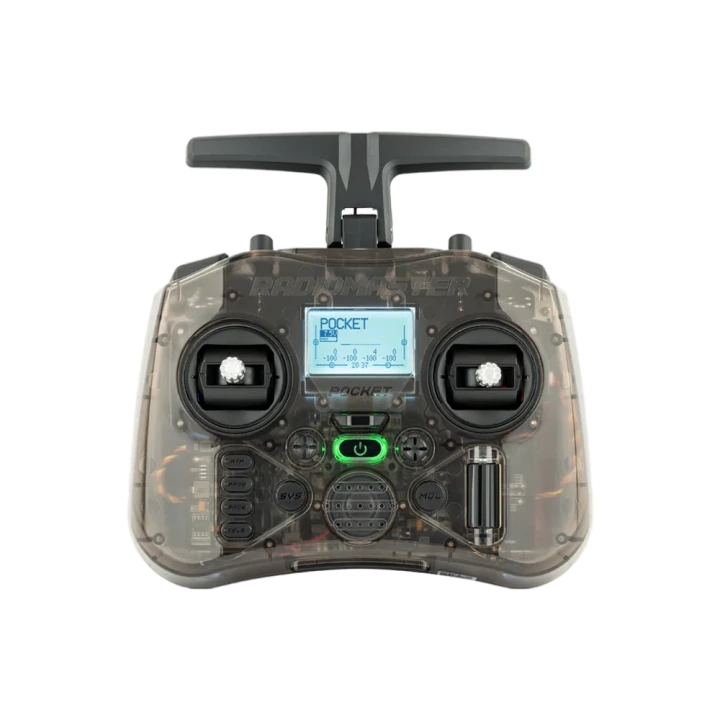
The most budget-friendly option running EdgeTX is the RadioMaster Pocket ELRS. In general, you can safely buy almost any radio from RadioMaster, except for the Zorro and T8 Lite models — they have certain quirks.
2. Radio Control System (Protocol)
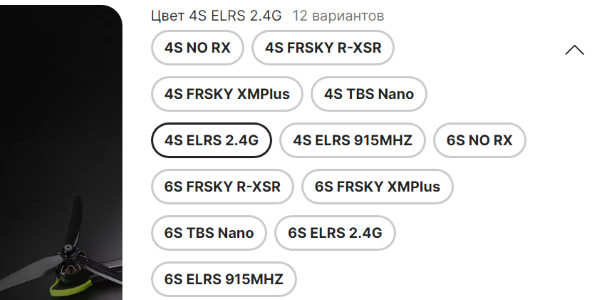
This is your communication protocol. Choose ExpressLRS (ELRS) and only that! Both on the radio (look for Pocket ELRS) and the built-in receiver on the drone itself (look for ELRS 2.4G in the drone specs).
MPM (4-in-1) and classic CC2500 chips are an absolute no-go — they are outdated systems! If you have a Whoop drone with a built-in FrSky or FlySky receiver, you're better off throwing it away (or soldering a tiny external ELRS receiver if you know how).
3. Video Goggles
In the vast majority of cases, a beginner should consider buying the DJI Goggles N3 - it's not the coolest solution technically, but it's the cheapest relevant digital system from DJI. An alternative in the same price range is the Walksnail Avatar HD Goggles L. It's better to avoid Skyzone (Skyzone Cobra), as they are becoming obsolete and are priced comparably to cheap digital systems.
If you have absolutely no money, your choice is the cheapest analog system:
- BetaFPV VR03 / VR04 (no diversity, but compact and cheap);
- Eachine EV800D / EV800DM (Attention: look only for original ones with "Eachine" written on the front, do not buy clones!).
4. Tiny Whoop (Drone)
In the ultra-budget segment, there is only one option — tiny whoops. These are small drones with prop guards that are ideal for flying indoors or outside in calm weather. Look for 65-75mm ELRS whoop series from HappyModel (e.g., Mobula 6 2024) or BetaFPV (Meteor65-75 / Air65 / pro). Do not buy the Cetus series under any circumstances.
Buying larger whoops (85mm+) as your very first drone doesn't make sense: they are too big and heavy for flying properly in an apartment, and outdoors it is more fun to fly a regular drone (without ducts/prop guards).
5. Charger
- VIFLY WhoopStor V3 - an inexpensive charger for
1Swhoop batteries with a Storage function. - If you plan to fly quadcopters with 2-to-6-cell batteries (
2S-6S), you should immediately look at powerful chargers from ISDT, HOTA, or ToolkitRC. - For those who like to experiment — the portable power bank-style charger GEPRC WooPower.
6. Batteries
Make sure to choose the new connectors: BT2.0 or A30 (they are the same form factor). If the drone has an old PH2.0 connector, it's better to solder a new connector onto the drone.
- Top-tier (expensive): Tattu, Dogcom.
- Budget: Ovonic, BetaFPV Lava, GNB.
DO NOT BUY UNDER ANY CIRCUMSTANCES!
"All-in-One" Ready-to-Fly (RTF) kits: BetaFPV Aquila, Cetus, Emax Tinyhawk BTF/RTF kits, GEPRC TinyGO.
Especially avoid ready-to-fly kits (drone + radio + goggles in one bag). They will bring you nothing but problems, and they cannot be upgraded — you will have to replace almost the entire kit, which will end up being much more expensive.
(For a bit more detail on why you shouldn't buy a Cetus — read this post).
Conclusion: Any cheap RTF set will have issues with setup, compatibility, and replacing parts. People in community chats simply won't be able to help you — it's better to stay away from these boxes from the start.
P.S. It's better to decide on the style and conditions you want to fly in first, and adjust your budget to your goal, not the other way around.
👈 Back: Getting started