Top 9 Frequently Asked Questions
(Article in progress)
Hello, I'm a beginner. Which drone should I choose?
The choice of drone depends on your desired flight style and conditions. Learn more.
Why do the motors rev up (increase RPM) when I lower the throttle?
If you're too lazy to read: YouTube Video.
If you're too lazy to watch: The drone is trying to work correctly even though you haven't put propellers on it. It received a command to "increase motor RPM," which it interprets as "increase RPM to move," and it tries to fly. But an error occurs—the motors increased RPM, but the sensor readings indicated the drone didn't move. What should the flight controller firmware do in such a case? Correct, increase RPM even more so the drone can move. But still no movement, and this continues in a loop. It's all because it won't take off without propellers. So don't torture your drone—put the props on and go fly.
How do I install propellers correctly?
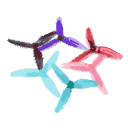
Unfortunately, it doesn't mention "pusher" configurations, but propellers should always pull upward, so they are always oriented with the top side up, even if the motors are inverted. In the case of an airplane, "upward" means "forward."
Why is my drone flipping (overturning) when I try to take off?
Check the following:
- Flight Controller Orientation: Does the tilt of the drone model in the Betaflight Configurator "Setup" tab match the tilt of the real drone? (The red arrow shows where the camera is located). If it doesn't match, you must adjust it on the "Configuration" tab in the "Board and Sensor Alignment" section.
- Motor Mapping: In the Betaflight "Motors" tab, the mixer should be "Quad X" (for quadcopters), and the motor order must match the numbering in the diagram.
- Motor Rotation: The "Motors" tab shows the rotation direction. By default, it's "props-in" (front props spin toward the camera). "Props-out" is also available by checking the "Motor direction is reversed" box. NOTE: This checkbox does not change the motor rotation; it only tells the firmware what direction to expect.
- Propeller Installation: Propellers must be installed according to the rotation scheme. The manufacturer's logo and size markings on the propeller should face upward.
Why doesn't the drone respond to throttle and spin motors in pairs?
You have "Turtle Mode" activated (known as "Flip Over After Crash" in Betaflight "Modes"). It's used if your drone is stuck and needs a nudge to fly out, or if it's upside down on a flat surface and you need it to flip over to resume flight. Deactivate this option, arm the drone, and it should respond normally to the sticks if basic settings are correct and props are installed.
How do I bind Crossfire / ELRS / FrSky?
Why isn't *anything* working in Betaflight 4.4?
- Configurator Version: You must use the latest version of the Betaflight Configurator (currently 10.9 or newer, version is displayed at the top left). Old configurator versions may work incorrectly with new firmware versions (see Software section).
- Cloud Build System: Betaflight 4.4 uses a cloud build system. When flashing, you must specify the required radio protocol (CRSF for ELRS and Crossfire; for SPI receivers, the choice doesn't matter). Options like "Magnetometer" (if you have a compass) must be added in the options string where GPS, Led Strip, OSD, etc., are selected by default. Remove options you don't need, but if unsure, leave them. You can leave other lines as they are. If you check "Core Only," the parameter fields will disappear and the full firmware will be loaded, BUT for F411 and F722 chips, GPS functionality will be missing due to size constraints. If you need GPS, use the cloud build system.
- Custom Defaults: After flashing, upon the first connection, a window appears asking to apply custom defaults. You must accept this for the flight controller configuration to load; otherwise, the firmware won't know about the sensors and ports on the FC.
I calibrated the accelerometer, but the drone model is still rotated incorrectly. What do I do?
Flight controller rotation is handled in the "Configuration" tab. The "Calibrate Accelerometer" button only calibrates the horizontal position; it doesn't know the heading (yaw). You must set the rotation offset manually.